- Build your development plan following the tips we provided here.
- Go to lumentalent.com. Enter username and password you received via email from "no-reply@lumentalent.com." Don’t forget to add LUMEN to your home screen using the link at the bottom of the screen.
- Set up your profile by following the in app guidance and clicking through the various profile screens as outlined below.
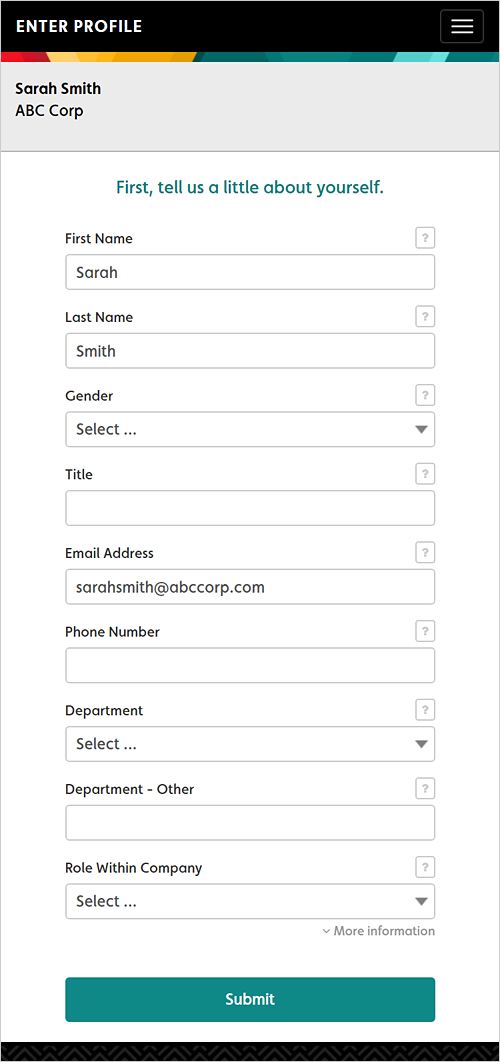
- Tell us about yourself.
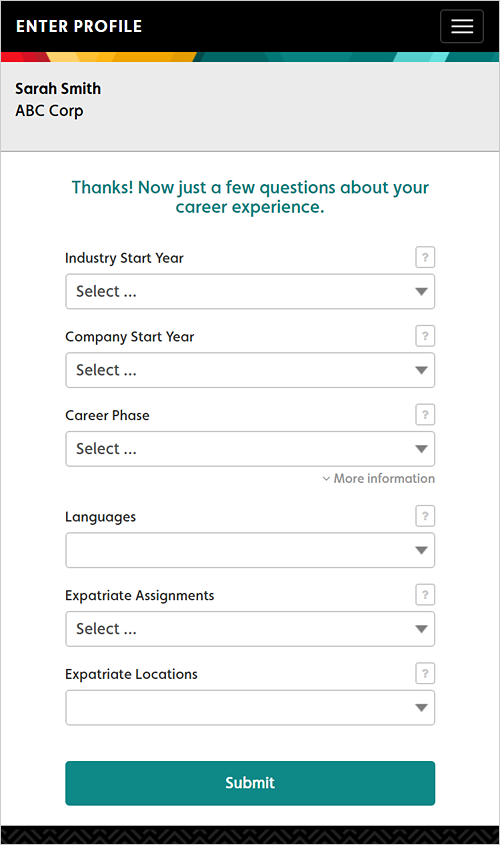
- Answer some questions about your career.
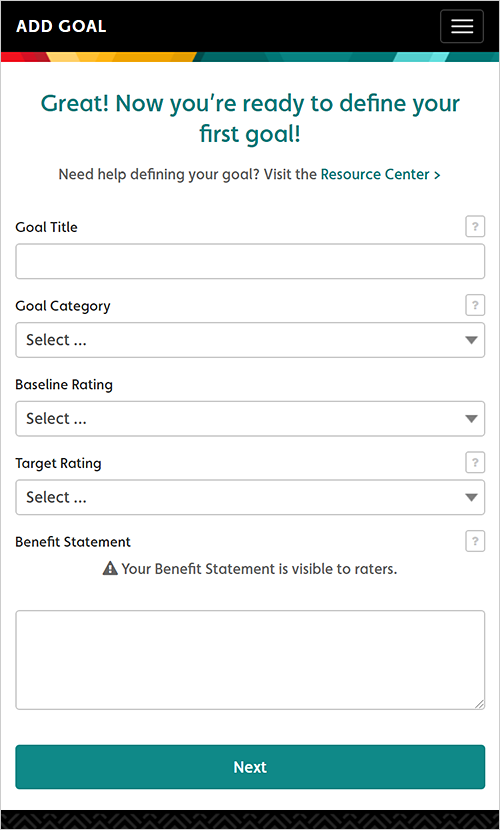
- Define your first development goal using the development plan that you’ve already built. View some sample development goals here. We recommend two development goals for a successful and sustainable development plan.
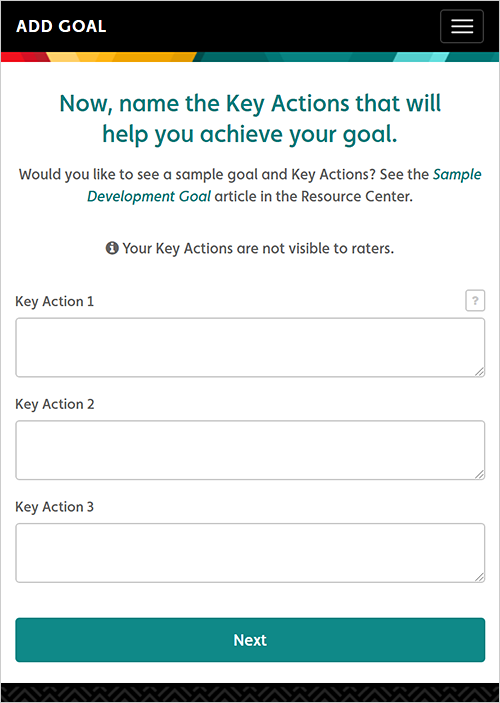
- Outline your key actions using the development plan that you’ve already built.
- Select your raters.
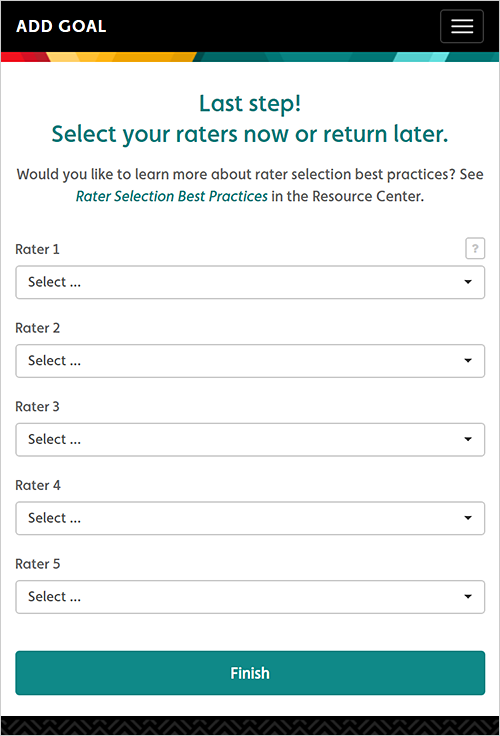
- When selecting your raters consider the nature of the goal, the power dynamics between you and a potential rater, the relationship you have with a potential rater and whether you have worked together long enough – you must trust the person who you invite to rate you. Make sure that you invite people who can provide objective perspective, are capable of providing constructive feedback, and will take the time to praise you for what you are doing well so you know what to keep doing.
It’s also important to have a discussion with your raters so you are both clear about the purpose of your goal, how often you hope they will rate you, what help you’re specifically looking for, and some recent examples (positive and negative) so the rater knows what he/she is looking for.
It’s important to note that raters can only see your name (so they know who they are rating), goal name and benefit statement. They are unable to view your key actions. They cannot see who else you have as raters or any ratings including their own past ratings or notes. They also cannot modify prior ratings. - Once your goals are defined, set your preferences for alert notifications. Select “edit alerts” to customize this. Choose how often you would like (a) to be prompted to assess yourself on your goal, (b) whether you’d like to be notified when there is a three point differential between yourself and one of your raters (Delta Alert), and (c) to be notified if a rater submits an observation note. In the near future the system will also be able to notify you if a rater hasn't submitted a rating in more than three weeks.
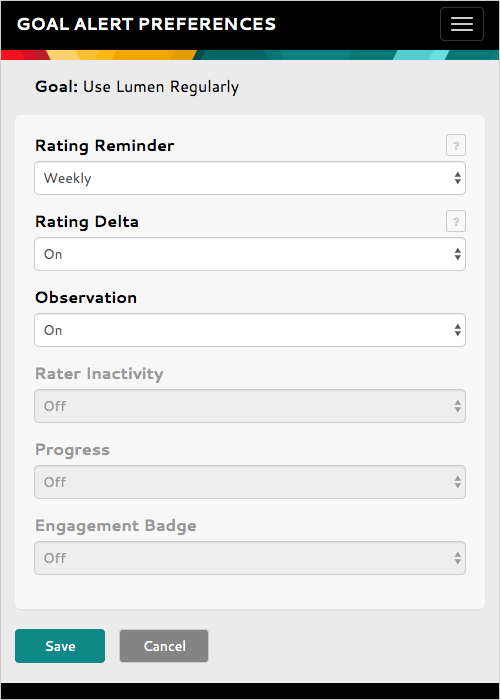
The bottom two notifications “progress” and “engagement badge” are not yet available but will be coming soon. - If you have an internal or external coach or mentor, you can also determine what you’d like your coach to see from within your LUMEN dashboard. Click on the menu in the upper right-hand corner and select Preferences from drop down options and allow coach to access your data. Go to Notification method to select either email or If text selected then verify the mobile number is the accurate.
- Now you are ready to start using LUMEN. For help navigating your dashboard click here. LUMEN is intended to drive current and relevant dialogue through real-time feedback, so be sure to keep a line of communication with your raters and stay active within the tool.
Comments
0 comments
Please sign in to leave a comment.