What is “Role within Company?" Please read the hyper linked article to determine what is your role within company. Within the LUMEN app you can expand the “more information” accordion which can be found on the right-hand side below the box for the selection. By expanding the accordion, you will see there are descriptions for option that explains the type of work being executed. The options available are: Front line contributor, first-level, mid-level, upper-level, and senior–level.
What is my “Career Phase?” Please review the hyperlinked article to determine what your career phase
My name is misspelled, how do I correct it? To correct your own name, please go to your profile page, select edit (at bottom of page) and correct your name. Be sure to click on “submit” at the bottom of your profile page to save your changes.
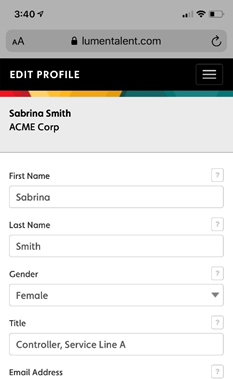
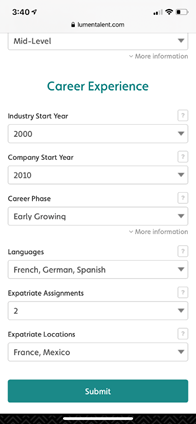
My phone number is incorrect on my profile, how do I correct that? To correct your phone number on your profile page, select edit (at bottom of page) and update your phone number. Be sure to click on “submit” at the bottom of your profile page to save your changes.
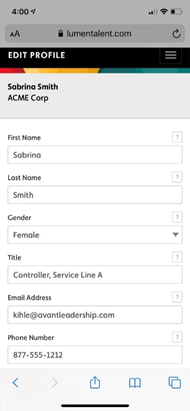
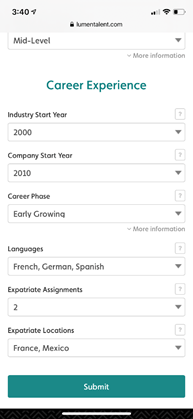
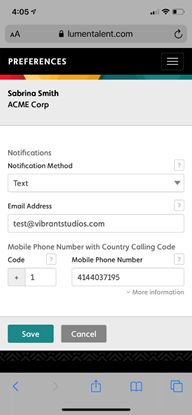
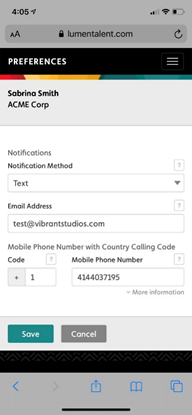
How do I correct my phone number in the preferences section? Your preferences phone number is what the system will use to send you text messages. The number on your profile page does not automatically sync with your preferences To correct your number on your preferences section, change the information on the mobile phone number field and click on the save button at bottom of screen.
I don’t see my department name what should I select? What if I do not see my department name? There are 12 options for departments plus an additional option for “other.” Consider the type of work you do and see if you can find a department that fits that description. In the event you are in a matrix organization with solid and dotted lines, you can seek guidance from your direct manager. Consider a controller who is likely in the Finance function but is a solid line into a plant manager. Technically the controller is a Finance department even though reporting into operations (plant manager). In such an example you can either make the determination on your own or seek input from HR or direct manager.
Should I use my personal or work email for notifications? If your organization is supporting talent development through the LUMEN app we would suggest using your company email. You can double-check your email/notifications settings by going to the preferences section and clicking on the box “Notification Method” and selecting the option you prefer. You can update your email for notifications on the same page – the preferences section. (this needs to show up in the Goal Alerts and Notifications FAQ)
Comments
0 comments
Please sign in to leave a comment.